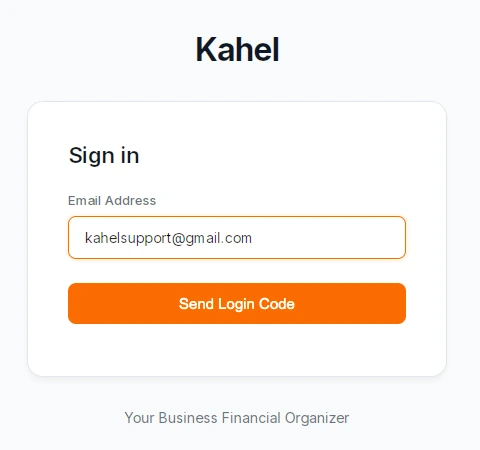
Sign in with a code, not a password
Type your email and Kahel sends a 6-digit code that works once, for 10 minutes. Too many wrong codes pause sign-in for 15 minutes.

A short walk through the real screens, from signing in to year-end financial statements. Every screen below is from Kahel today, using a test business. Click any screenshot to see it full size.
Type your email and Kahel sends a 6-digit code that works once, for 10 minutes. Too many wrong codes pause sign-in for 15 minutes.
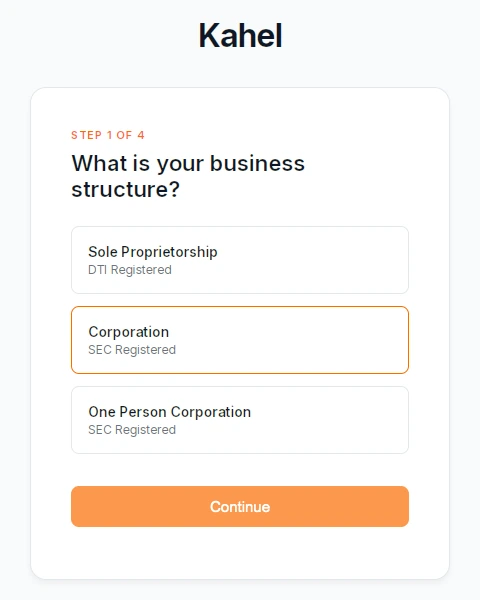
Business structure, BIR registration (VAT, non-VAT or 8%), whether you have employees, and what the business does. Your answers build your chart of accounts and filing calendar.
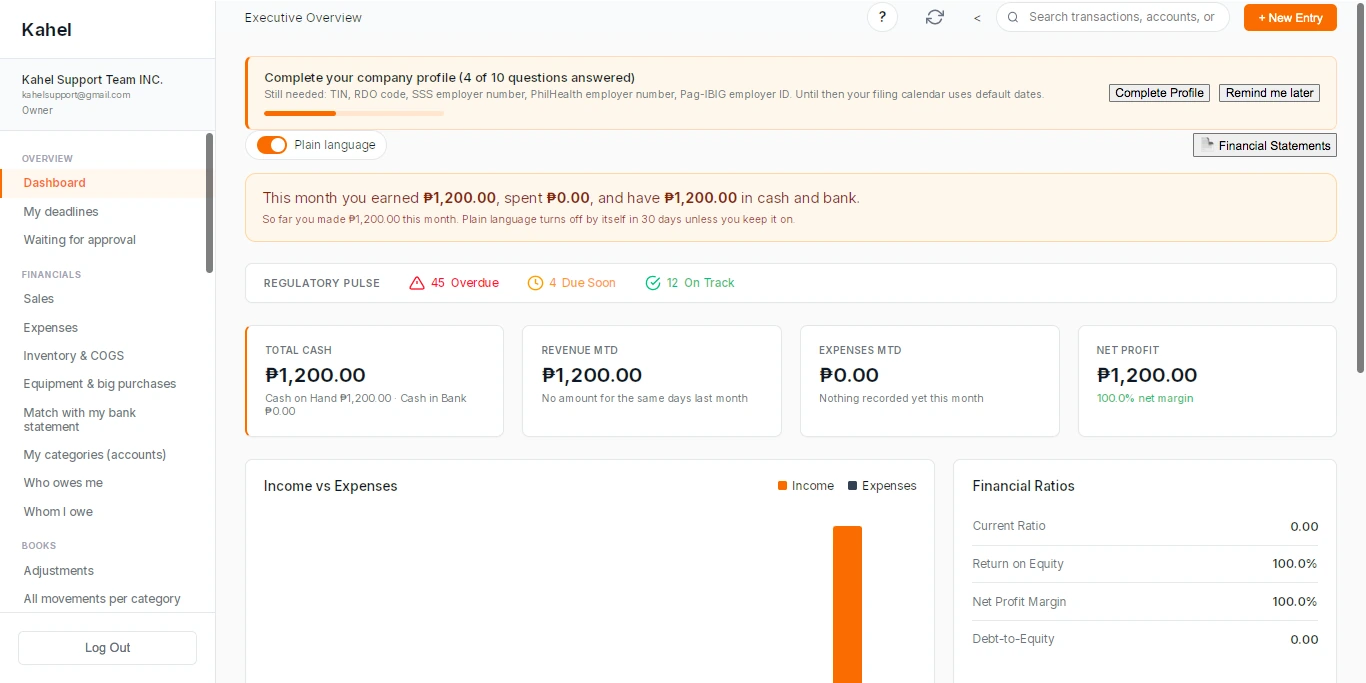
Cash on hand and in bank, this month against last month, and your next deadlines. Plain language turns the menu into questions like “Did I make money?”
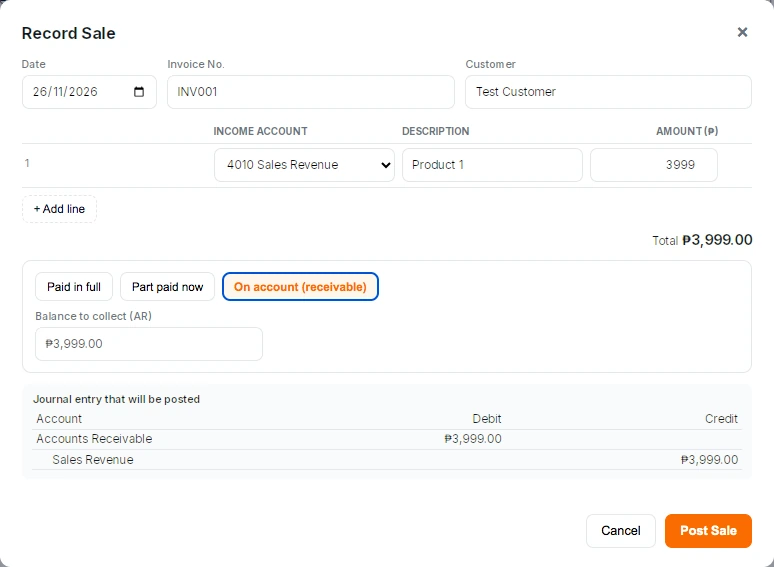
Enter the invoice once, then choose how it was paid: Paid in full, Part paid now or On account (the customer pays later). Before you post, Kahel shows the journal entry. In this example, a ₱3,999 sale on account debits Accounts Receivable and credits Sales Revenue. VAT-registered businesses get the 12% VAT split per line.
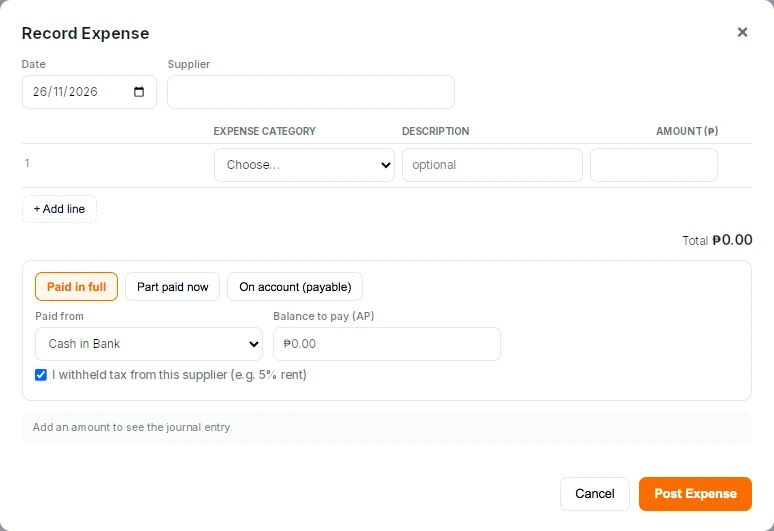
Split one receipt across categories. Tick “I withheld tax”, choose the ATC, and Kahel computes the tax and prepares the 2307 for your supplier.
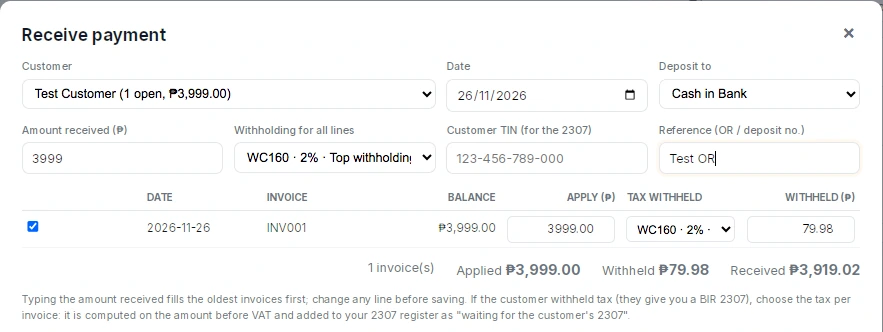
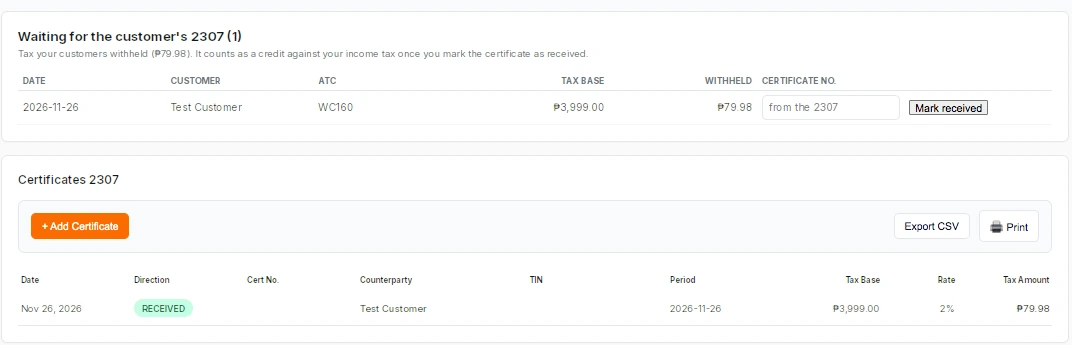
One payment can settle several invoices, oldest first. Tax your customer withheld goes to your 2307 register as Waiting.
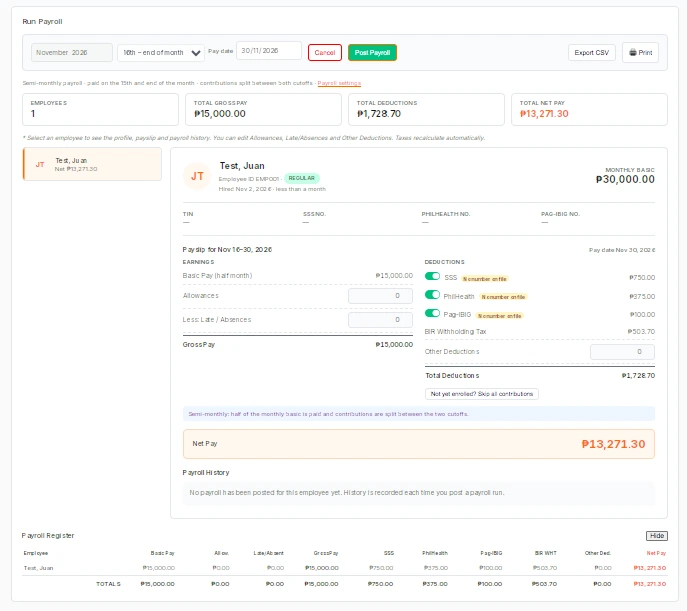
Monthly or semi-monthly. Compute, adjust allowances and absences, review SSS, PhilHealth, Pag-IBIG and withholding tax, then post. Payslips are ready to print.
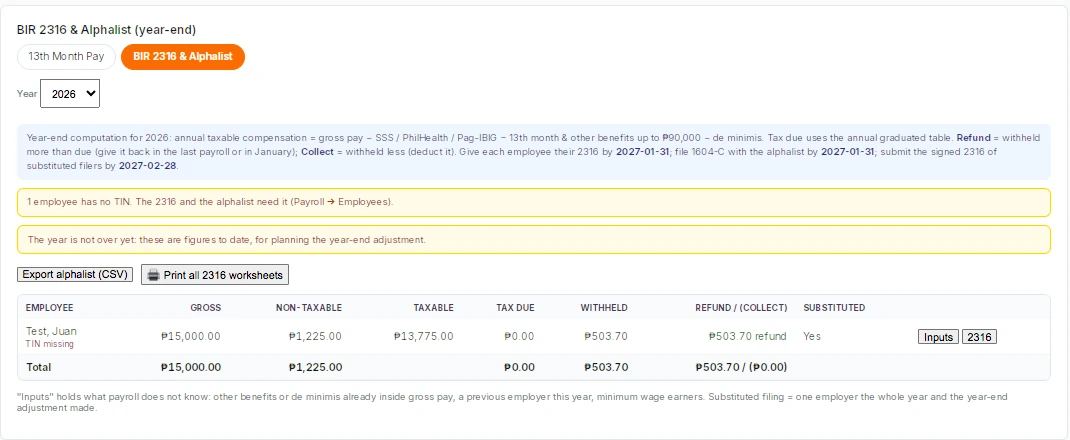
Kahel works out 13th month pay and each employee's annual tax, then shows whether to refund or collect. Print the 2316 worksheets and export the alphalist.
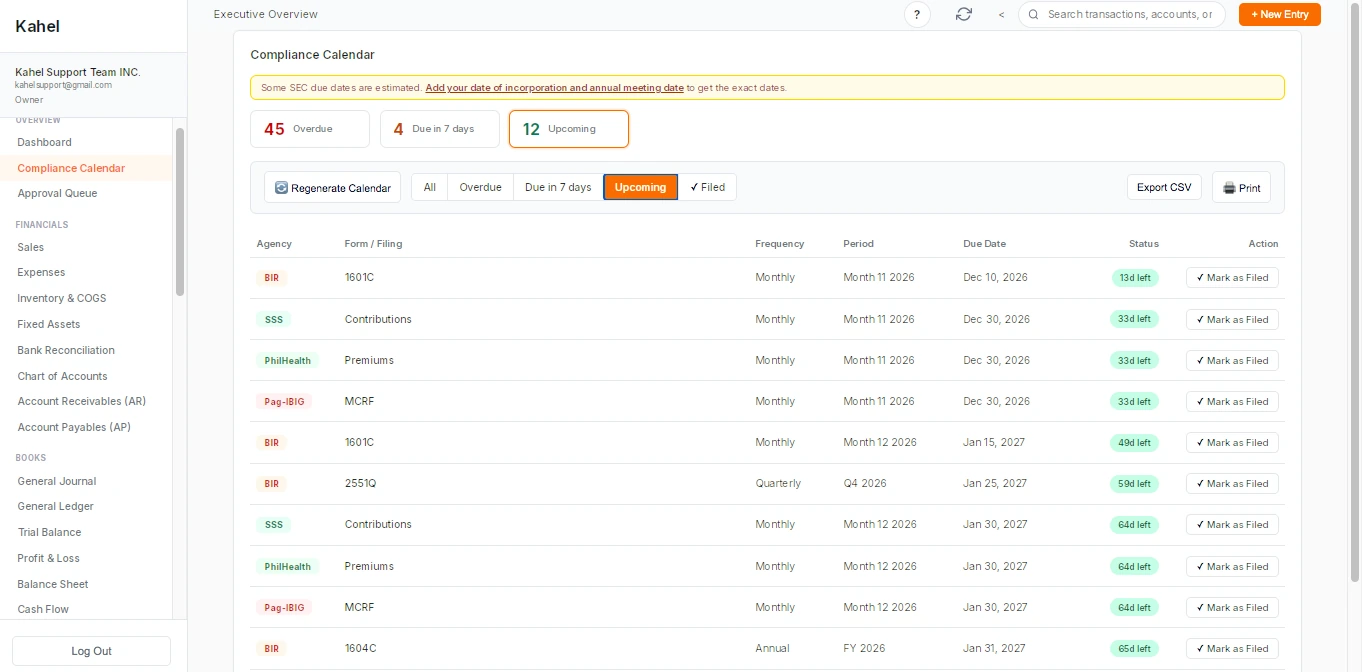
BIR, SEC, SSS, PhilHealth, Pag-IBIG and LGU permits, built from your setup. File as usual, then Mark as Filed with the amount paid and Kahel records the payment.
Certificates from customers stay Waiting until you mark them received, and only received ones count against income tax. Certificates you issue are listed for remittance.
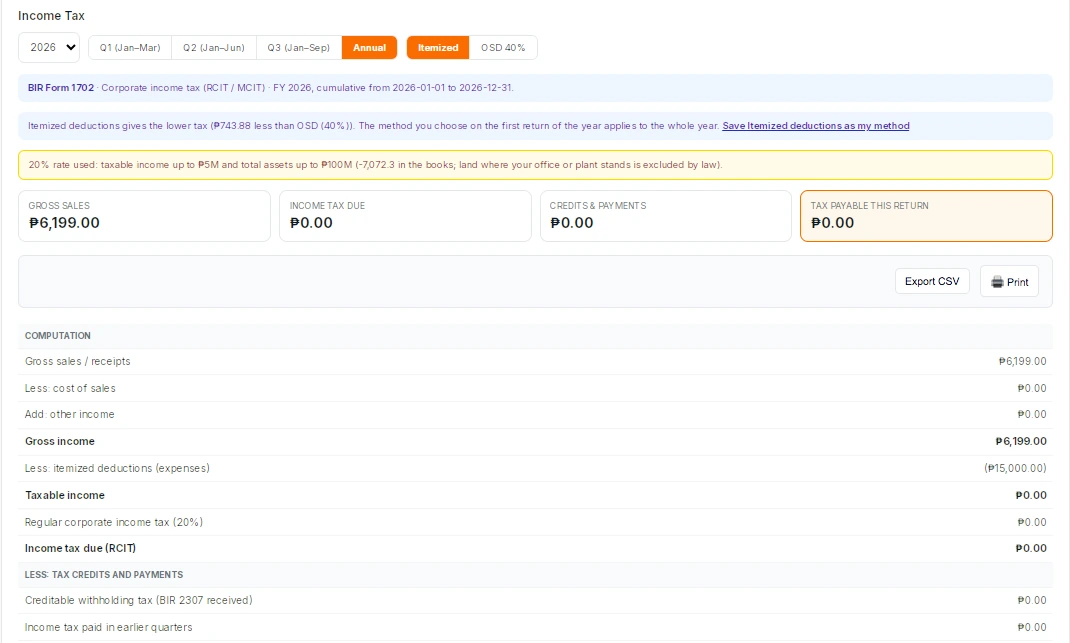
Graduated rates or 8% for sole proprietors, corporate income tax with the MCIT check for corporations, and itemized compared with OSD 40%.
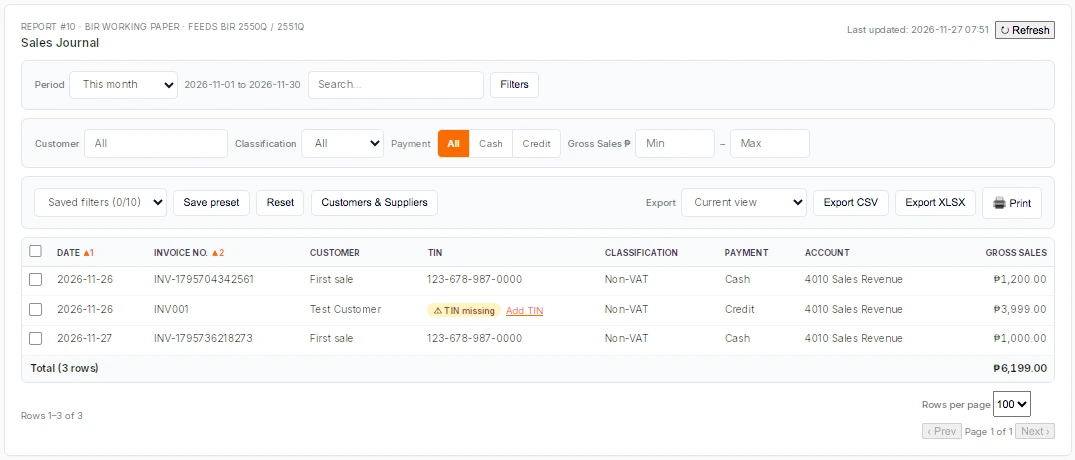
Sales and purchase journals, summary lists, expense summary, payroll register, withholding summary and alphalists. Filter, save presets, export or print.
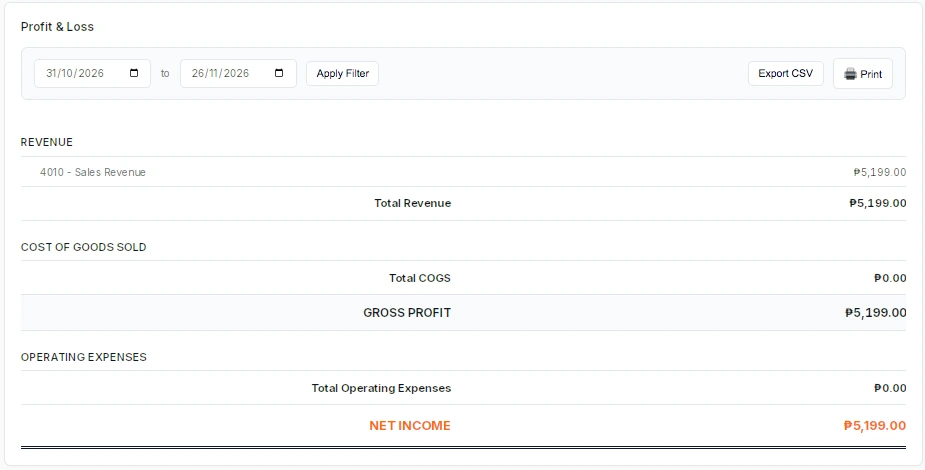
Profit and loss, balance sheet, cash flow, changes in equity and ratios, all from the same books, with your business name and TIN on every page.
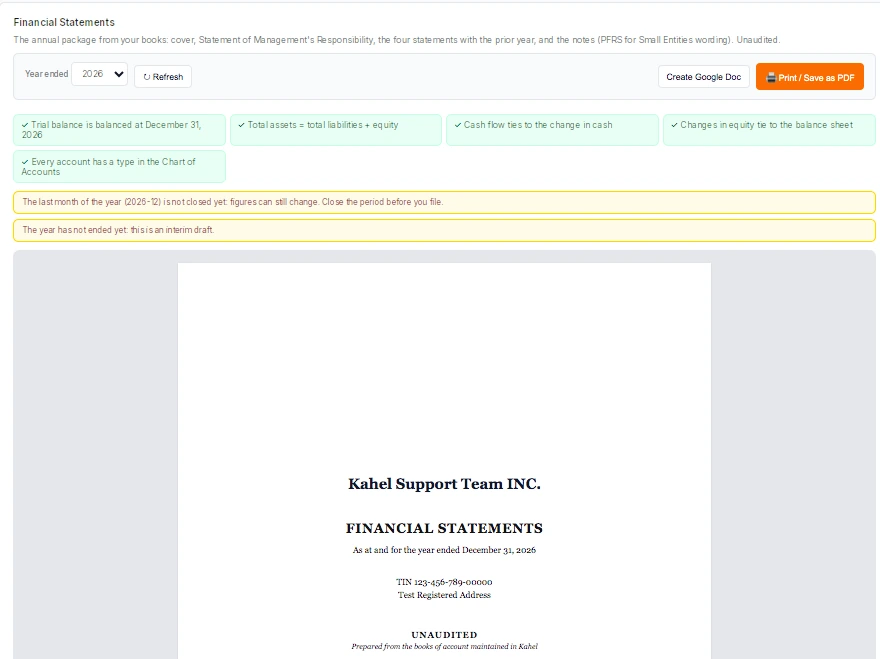
Prior-year figures side by side, the Statement of Management's Responsibility and notes in PFRS for Small Entities wording. Kahel checks that everything ties before it builds the package.
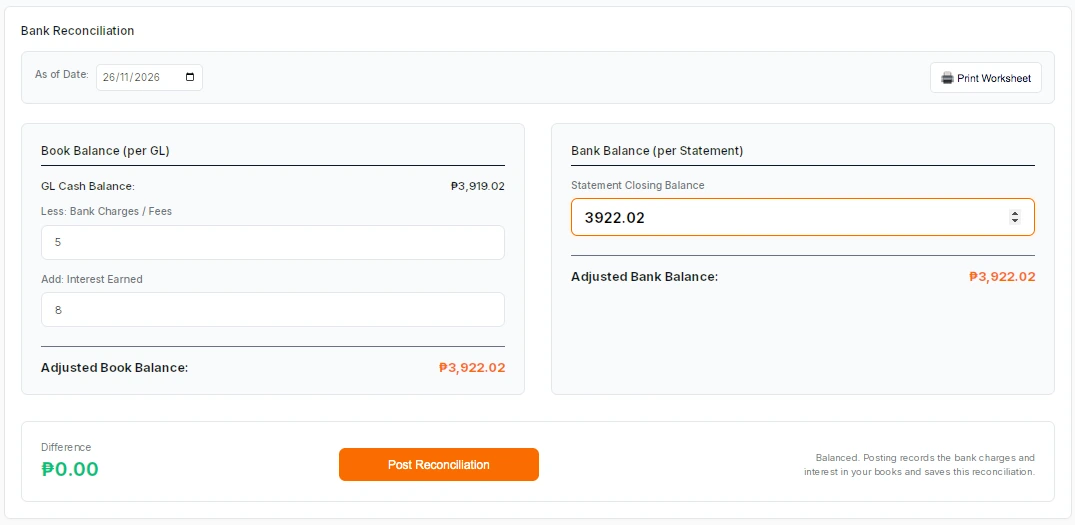
Tick what's on the bank statement, add bank charges and interest, and post when the difference is ₱0.00.
Big sales and expenses, payroll, voids and journal entries can wait for the business owner to approve or reject.

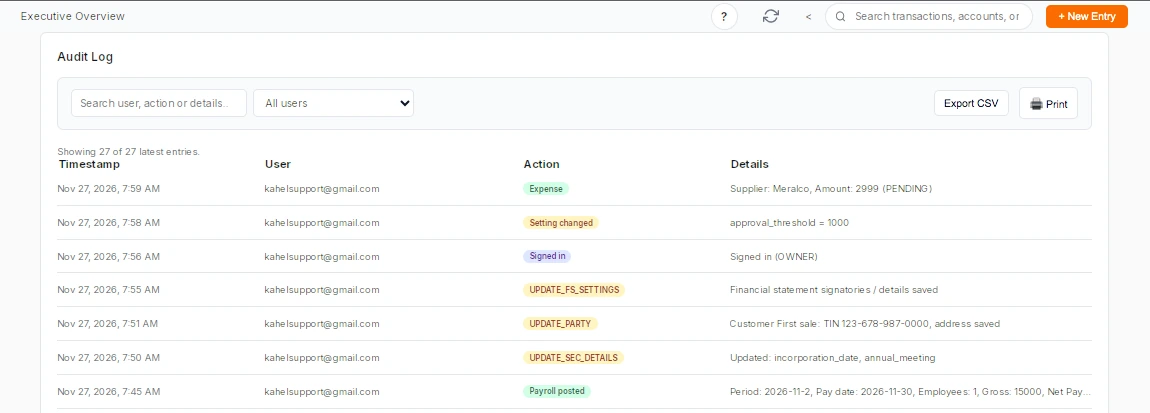
Every sign-in and change, with who did it and when. Entries cannot be edited or deleted.
Tap Get access to open our Telegram chat. We'll send the payment details and answer any question.